By Lee Sykes
Updated October 2006
In this tutorial we demonstrate how to use the DotNetNuke Announcements module.
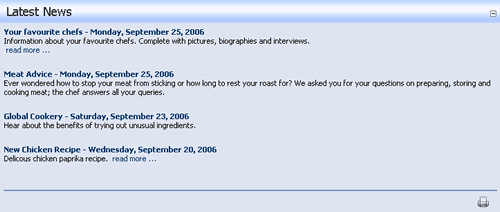
The announcements module is useful for directing the visitors of your website to the latest content that you have created. Typically you will see the announcements module in use on the home page of a website.
Announcements consist of a title and description with the option of linking to a file, page, or a URL.
Announcements can be assigned a publish and expiration date, an order can be specified for the announcements, as well as logging and link-click tracking for viewing reports on the number of click-throughs.
Video 1: Introduction, adding the various announcement types
- Adding the announcements module to a page
- Adding the first announcement using a title and description with a link type of 'None'
- Explanation of tracking
- Explanation of publish date and order by
- Viewing the announcement
- Adding a second announcement with a link type of 'External URL'
- Track the number of times the link is clicked
- Opening links in a new browser window
- Demonstration of past publish dates and the ordering of the announcements
- Adding a third announcement with a link type of 'Page on the site'
- Logging the User, Date, and Time for every click
- Setting future publishing dates
- Adding a fourth announcement with a link type of ‘A File On Your Site’
- Uploading a new file
- Linking to a PDF file
Time Length: 8min 48secs
Video 2: Configuring the announcement module settings, editing, deleting
- Viewing announcements a day later which are now released under the publish date
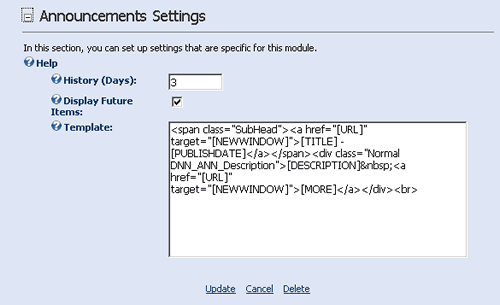
- Configuring the Announcements Settings page
- Configuring the History (Days) option
- Configuring the Display Future Items
- Configuring the announcements module Template
- Configuring the announcement Titles into a link using the Template
- How to edit an announcement
- Viewing the logs for tracking the number of times a link is clicked
- How to set the View Order for the announcements
- How to delete an announcement
- Viewing the logs for tracking the User, date and time for every link click
Time Length: 9min 54secs
Total Time Length: 18min 42secs