|
|
|
In this tutorial we demonstrate how you can enable additional users without the administrator security role, access to the pages from the DotNetNuke admin menu.
There are many times when you may want to give a user who edits the content of your site access to the 'Pages’ or ‘Newsletters’ menu items, but at the same time, you may not wish to give them any further access to the admin menu, such as access to the ‘Site Settings’.
In this tutorial we outline how you can give users additional rights to access individual pages from the admin menu.
Time Length: 11mins
Read More..
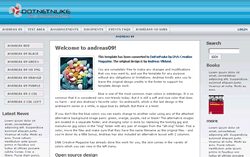
This free XHTML / CSS website template is available to use without any limitations. It can be used on a non-commercial site as well as on a commercial one.
The skin contains six content panes:
- Top pane
- Content pane
- Content left pane
- Content mid pane
- Content right pane
- Right pane
And also comes with 6 containers:
- h1 container
- h2 container
- h3 container
- h3_lowercontent_panes
- h3_right_pane
- transparent, no title container
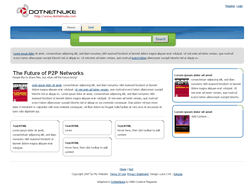
In this tutorial we demonstrate how to create pure CSS skin layouts that are Search Engine Optimized. We achieve this by taking advantage of using absolute positioning and floats.
This technique was developed for the new DNN Creative skin. Following the release of the DNN Creative skin we received several enquiries regarding how we placed the main text content at the top of the source code and the less important content towards the end.
Ordering the source code helps search engines to easily find and index the important content of your website and therefore will help to improve your search engine results.
In this tutorial we demonstrate the techniques using a stripped down version of the DNN Creative skin.
The videos cover:
- Video 1 - Introduction, file preparations and initial styling
- Video 2 - Creating the content panes
- Video 3 - Layout of the content panes
- Video 4 - Styling the content panes and footer
- Video 5 - Positioning the content panes and menu
- Video 6 - Positioning additional skin tokens
- Video 7 - Positioning horizontal banner pane and IE hacks
Total Time Length: 64mins
This tutorial is part 2 of the Pure CSS Search Engine Optimized Skin Layouts tutorial. We previously demonstrated how to create a 3 pane skin using floats and absolute positioning. We are now going to demonstrate how to create multiple skin layouts using a skinname.css file.
Using the skinname.css file technique allows you to easily create variations of skins while also reducing the amount of code placed in the skin.css file.
In this video tutorial we create a 2 pane version of the CSS skin using minimal code changes.
Time Length: 8mins
Read More..
In this tutorial we demonstrate how to use and create page templates in DotNetNuke. Page templates allow you to add modules, data, and configuration settings to a page when you first create a new page.
This is a fantastic time saving tool, for instance if you have certain modules that you regularly need to add to a page, you can do this automatically with a page template. If you have content in a Text / HTML module that you always use as a starting point, you can have default content added to a module through a page template.
The videos cover:
- Video 1 - Introduction, default page template, code explanation
- Video 2 - The simple method for creating a page template
- Video 3 - Completing your first page template
- Video 4 - A complex page template with multiple modules
Total Time Length: 32mins
In this tutorial we demonstrate working with the new page management options in the latest DotNetNuke version 4.5.
In these video tutorials we demonstrate:
- Username Permissions: How to quickly add a user for view and edit permissions without the need for creating a special security role for that individual user
- Copy permissions to descendants
- Copy design to descendants
- Copy page functions: How to copy modules from an existing page to a new page using the ‘new / copy / reference’ options
Total Time Length: 19min
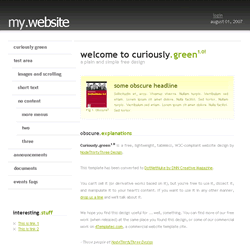
Curiously.green1.0 is a free, lightweight, tableless, W3C-compliant skin. This skin comes in 2 different types:
- with_logo - uses the logo from the admin menu / site settings
- no_logo - uses text for the site header which you can edit in the skin files
It also comes with 5 containers:
- h1 container
- h2 container
- h3 container
- transparent, no title container
- box (a highlighted container)
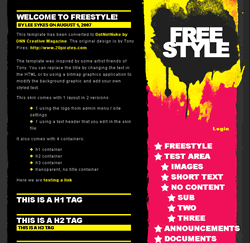
FreeStyle is a free XHTML compliant pure CSS skin. This skin comes in 2 different types:
- index_logo - uses the logo from the admin menu / site settings
- index - uses text for the site header which you can edit in the skin files
It also comes with 4 containers:
- h1 container
- h2 container
- h3 container
- transparent, no title container
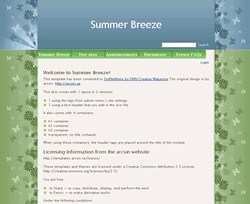
Summer Breeze is a free XHTML pure CSS skin. This skin comes in 2 different types:
- index_logo - uses the logo from the admin menu / site settings
- index - uses text for the site header which you can edit in the skin files
It also comes with 4 containers:
- h1 container
- h2 container
- h3 container
- transparent, no title container
Andreas 09 is a free XHTML/CSS skin. This skin comes with 3 different layouts and 7 colours:
- 3 panes
- 2 panes with the side menu on the left
- 2 panes with the side menu on the right
It also comes with 4 containers, they are automatically styled depending on the pane you insert them into:
- h1 container
- h2 container
- h3 container
- transparent, no title container