? orus casino? bodog? ruleta? luckia? betano? sportium? spin casino? stakes? 3 reyes? 888? lottoland? coolbet? 777 casino? gana777? betfair? bwin? yak casino? ivy casino? oddschecker? red casino? netbet? william hill? vip casino? rey casino? marathonbet? dafabet? sol casino? 1bet? winland? bet777? parimatch? 18bet? 888casino? campobet? mostbet? ganabet? rushbet? betcris? betsson? lucky? novibet? winner? winpot? betmaster? betmexico? cancun? playcity? strendus? pokerstars? codere? caliente? fun88? bbrbet? 1win? 10bet? betway? pin up? spinbet? 7cslot? pickwin? spin bet? mr fortune? w88? pragmatic? gamdom? crasher? jojobet? betmex? bcasino? foliatti? winner mx? bets 10? big bola? bet master? inbet? 7slots? lucky day? m777? mexplay? luckydays? bet caliente? 1x? plinko

RSS Newsletters

Current Articles | Categories | Search | Syndication

August 2010

Welcome to Issue 59 of DNN Creative Magazine

Issue 59 - DotNetNuke Telerik RAD Editor, Introduction and Customization

In this issue we demonstrate how to use and fully customize the new Telerik RAD Editor available in DotNetNuke 5.

The Telerik RAD Editor now replaces the FCK Editor as the default HTML and text editor in DotNetNuke 5. We walk you through its large feature set and show you how to fully customize the editor to suit your own needs.

We show you how to change important settings such as how to instruct the editor to use paragraph tags when you press the enter key rather than break tags. We walk you through how to disable and remove certain buttons and how to use CSS styles for easily styling the text and images in the Telerik RAD Editor.

Next we show you how to change the default text editor that is used in DotNetNuke. This allows you to easily switch to using the FCK Editor or the Telerik RAD Editor, so you can easily choose your favourite text editor in DotNetNuke.

Following this we continue the Open Web Studio tutorials, this month we demonstrate how to implement the vast features of the jQuery User Interface library into your Open Web Studio applications, and we show you how to insert a date picker, auto complete input boxes and a tab system.

To finish, we continue the series of articles on DotNetMushroom Rapid Application Developer (RAD), where we demonstrate how to create charts and display them within your DotNetNuke portals.


This issue comes complete with 16 videos.

Administrators:

Telerik RAD Editor Introduction
DotNetNuke Telerik RAD Editor Introduction
(6 videos - 67 mins)
Configuring the Telerik RAD Editor How to Configure the Telerik RAD Editor in DotNetNuke
(6 videos - 62 mins)
How to change the default text editor in DotNetNuke How to Change the Default Text Editor in DotNetNuke
(2 videos - 23 mins)
Module Development Series:

Getting Started With jQuery UI in OWS
(3 videos - 28 mins)
Creating Charts Using DNM RAD 1.3 for DotNetNuke Creating Charts Using DNM RAD 1.3 for DotNetNuke

View issue 59 to download all of the videos in one zip file


DNN Creative Magazine for DotNetNuke Web Designers
Covering DotNetNuke module video reviews, video tutorials, mp3 interviews, resources and web design tips for working with DotNetNuke.

In 59 issues we have created 616 videos!
Read More..
July 2010

Welcome to Issue 58 of DNN Creative Magazine

Issue 57 - DotNetNuke Gallery Module and OWS Skin Objects

In this issue we demonstrate how to use the new Taxonomy (Categories) and Folksonomy (User Tags) features introduced from DotNetNuke 5.4 onwards.

These new features allow you to categorize and tag both pages and modules within your DotNetNuke portal. We show you the considerations to make when categorizing the content on your website and how to implement categories and tags within your DotNetNuke site. We also show you how to configure the display of the new tags skin object.

Complimenting the Taxonomy and Folksonomy tutorial we show you how to use the Content List module. This module allows you to display a list of content related to how the content has been tagged.

Following this we demonstrate the new features that have been added to the User Profile section of DotNetNuke from version 5.4 onwards, this covers two new modules: View Profile and Messaging Modules. The View Profile module allows a user to view their own profile and the messaging module allows users to send and receive private messages to other registered users.

Next we show you how to use the new Ribbon Bar Admin Control Panel that is now available with DotNetNuke v5.4 onwards. The Ribbon Bar is an enhanced version of the admin control panel which provides a more efficient way for administrators to manage their DotNetNuke websites.

Following this we continue the Open Web Studio tutorials, this month we demonstrate some advanced techniques for customizing the user experience in your DotNetNuke portal. We take advantage of security controls for managing how your users access and use your portals.

To finish, we continue the series of articles on DotNetMushroom Rapid Application Developer (RAD), where we demonstrate how to implement a DotNetNuke user registration module using DNM RAD.


This issue comes complete with 13 videos.

Administrators:

Taxonomy and Folksonomy in DotNetNuke

Taxonomy and Folksonomy in DotNetNuke
(4 videos - 34 mins)
DotNetNuke User Profile Features v5.4 DotNetNuke User Profile Features v5.4
(2 videos - 15 mins)
DotNetNuke Ribbon Bar Admin Control Panel DotNetNuke Ribbon Bar Admin Control Panel
(2 videos - 23 mins)
Core Modules:

DotNetNuke Content List Module

DotNetNuke Content List Module
(1 video - 8 mins)
Module Development Series:
OWS Advanced Techniques: User Access and Security
(4 videos - 32 mins)
How to
            Implement a DotNetNuke User Registration Module Using DNM RAD How to Implement a DotNetNuke User Registration Module Using DNM RAD

View issue 58 to download all of the videos in one zip file


DNN Creative Magazine for DotNetNuke Web Designers
Covering DotNetNuke module video reviews, video tutorials, mp3 interviews, resources and web design tips for working with DotNetNuke.

In 58 issues we have created 600 videos!
Read More..
June 2010

Welcome to Issue 57 of DNN Creative Magazine

Issue 57 - DotNetNuke Gallery Module and OWS Skin Objects

In this issue we show you how to use the DotNetNuke Core Gallery Module. The Gallery module allows you to upload files and present them within albums. You can upload images as well as media files such as music and video files.

The Gallery module has many features available such as multiple albums, bulk upload, categorization, slideshow, display templates, voting, downloads, watermark and private gallery. This is a useful module for displaying images and media within your DotNetNuke portal with options for customizing the display to suit your exact requirements. We walk you through step by step how to install, use and fully configure the DotNetNuke Gallery module.

Following this we continue the Open Web Studio tutorials, this month we demonstrate how to create a Skin Object from an OWS configuration. We show you how to create a menu and a feedback form using OWS and how to display those OWS applications as Skin Objects within a DotNetNuke skin.

To finish, we continue the series of articles on DotNetMushroom Rapid Application Developer (RAD), where we demonstrate some of the new features available in the latest version of DNM RAD, these include: Creating a new data source, creating a linked table, creating a direct query and the new colour coding editor.


This issue comes complete with 9 videos.

Core Modules:

DotNetNuke Gallery Module
(7 videos - 57 mins)
Module Development Series:

How to
            Create a Skin Object from an OWS Configuration
How to Create a Skin Object from an OWS Configuration
(2 videos - 18 mins)
New Features in
            DNM 01.20.00 New Features in DNM 01.20.00

View issue 57 to download all of the videos in one zip file


DNN Creative Magazine for DotNetNuke Web Designers
Covering DotNetNuke module video reviews, video tutorials, mp3 interviews, resources and web design tips for working with DotNetNuke.

In 57 issues we have created 587 videos!
Read More..
May 2010

Welcome to Issue 56 of DNN Creative Magazine

Issue 56 - Super Stylesheets Skinning DNN 5, How to Create a Module PA OWS, News Carousel with DNM RAD

In this issue we show you how to use the powerful new Super Stylesheets skinning feature in DotNetNuke 5.

Super Stylesheets are ideal for both beginner and experienced skin designers, they provide skin layouts using CSS. The advantage of Super Stylesheets is that you can easily create a skin layout which works in all browsers without the need to learn complex CSS techniques.

They are also very quick to build and you can change a skin layout in a matter of minutes rather than hours. We show you how to build a skin from the very beginning using Super Stylesheets, we show you how to create various skin layouts, as well as multi-layouts. We also show you how to style the skin, how to add tokens such as the logo, menu, login links etc. and walk you through how to create a fully working skin from scratch.

Following this we continue the Open Web Studio tutorials, this month we demonstrate how to create an installable DotNetNuke PA module using OWS. This is an essential technique which allows you to package up the OWS applications that you have created and build them into an installable zip package. The zip file is then installable as a standard DotNetNuke module which means you can easily install your OWS applications on other DotNetNuke installations by simply installing them as a standard DotNetNuke module.

To finish, we have part six of the "How to Build a News Application with DotNetMushroom Rapid Application Developer (RAD)" article, where we demonstrate how to create a News Carousel using RAD, JQuery and the JCarousel plugin.


This issue comes complete with 15 videos.

Skinning:

Skinning with DotNetNuke Super Stylesheets
Super Stylesheets Skinning in DotNetNuke 5 - DNN Layouts
(12 videos - 98mins)
Module Development Series:

How to Create an Installable DotNetNuke PA Module Using OWS
(3 videos - 23mins)
How to Implement a News Carousel Using DotNetMushroom RAD How to Implement a News Carousel Using DotNetMushroom RAD and JQuery

View issue 56 to download all of the videos in one zip file


DNN Creative Magazine for DotNetNuke Web Designers
Covering DotNetNuke module video reviews, video tutorials, mp3 interviews, resources and web design tips for working with DotNetNuke.

In 56 issues we have created 578 videos!
Read More..
April 2010

Welcome to Issue 55 of DNN Creative Magazine
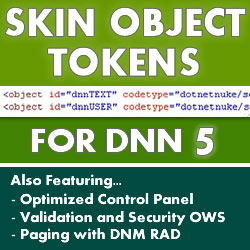
Issue 55 - Skin Object Tokens, Optimized Control Panel, OWS Validation and Security, RAD

In this issue we focus on the new Skin Object token method introduced in DotNetNuke 5 for adding tokens into a DotNetNuke skin. A Skin Object Token is a web user control which covers skin elements such as the logo, menu, search, login links, date, copyright, languages, links, banners, privacy, terms of use, etc.

Following this we demonstrate how to install and use two Advanced DotNetNuke Admin Control Panels which are available for free from Oliver Hine. These control panels provide an optimized version of the admin control panel to improve performance and page load times, as well as a ribbon bar control panel which adds additional features.

Next, we continue the Open Web Studio tutorials, this month we demonstrate some very advanced techniques for building a car parts application in Open Web Studio. Throughout the tutorial we cover form input, validation, how to use dependant drop down lists, populating checkbox lists and introduce a new concept of data level security. Data level security allows you to control which data a user can access within a module.

To finish, we have part five of the "How to Build a News Application with DotNetMushroom Rapid Application Developer (RAD)" article, where we demonstrate how to implement paging.


This issue comes complete with 14 videos.

Skinning:

Skin Object Tokens for DotNetNuke 5
(8 videos - 64mins)
Free Module:

Advanced Optimized Control Panel by Oliver Hine
(1 video - 11mins)
Module Development Series:

Form Validation, Dependant Drop Downs and Data Level Security in
            OWS
Form Validation, Dependant Drop Downs and Data Level Security in OWS
(5 videos - 44mins)
How to
            Implement Paging with DotNetMushroom RAD How to Implement Paging with DotNetMushroom RAD

View issue 55 to download all of the videos in one zip file


DNN Creative Magazine for DotNetNuke Web Designers
Covering DotNetNuke module video reviews, video tutorials, mp3 interviews, resources and web design tips for working with DotNetNuke.

In 55 issues we have created 563 videos!
Read More..
Paging - Page: 2 of 14
Used
By
Testimonials