By Lee Sykes
October 2006
In this tutorial we demonstrate how to setup DotNetNuke to accept subscription payments using PayPal.
These features are built in to DotNetNuke, so you can set this up for free without having to make payments for additional ecommerce modules.
Using DotNetNuke’s subscription facilities, registered users can pay to access subscriber only content such as articles, ebooks, music and video downloads etc.
We demonstrate how you can set this up using security roles in DotNetNuke. This tutorial builds on the security roles tutorials from
issue 1 and
issue 14.
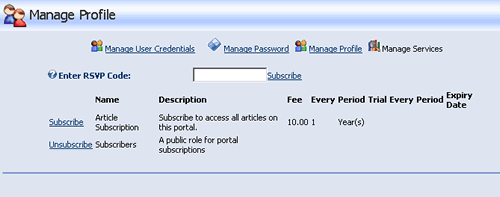
Video
- Configuring DotNetNuke to send payments to your PayPal account
- Creating a new Security Role for subscribers to access articles on the website
- Setting up the Advanced Settings
- Configuring a subscription price and billing period
- Creating a page where only the subscribers can access the content
- Testing the subscription configuration
- Registering as a new user
- Subscribing and testing the sign up process as a user
Time Length: 7min 52secs